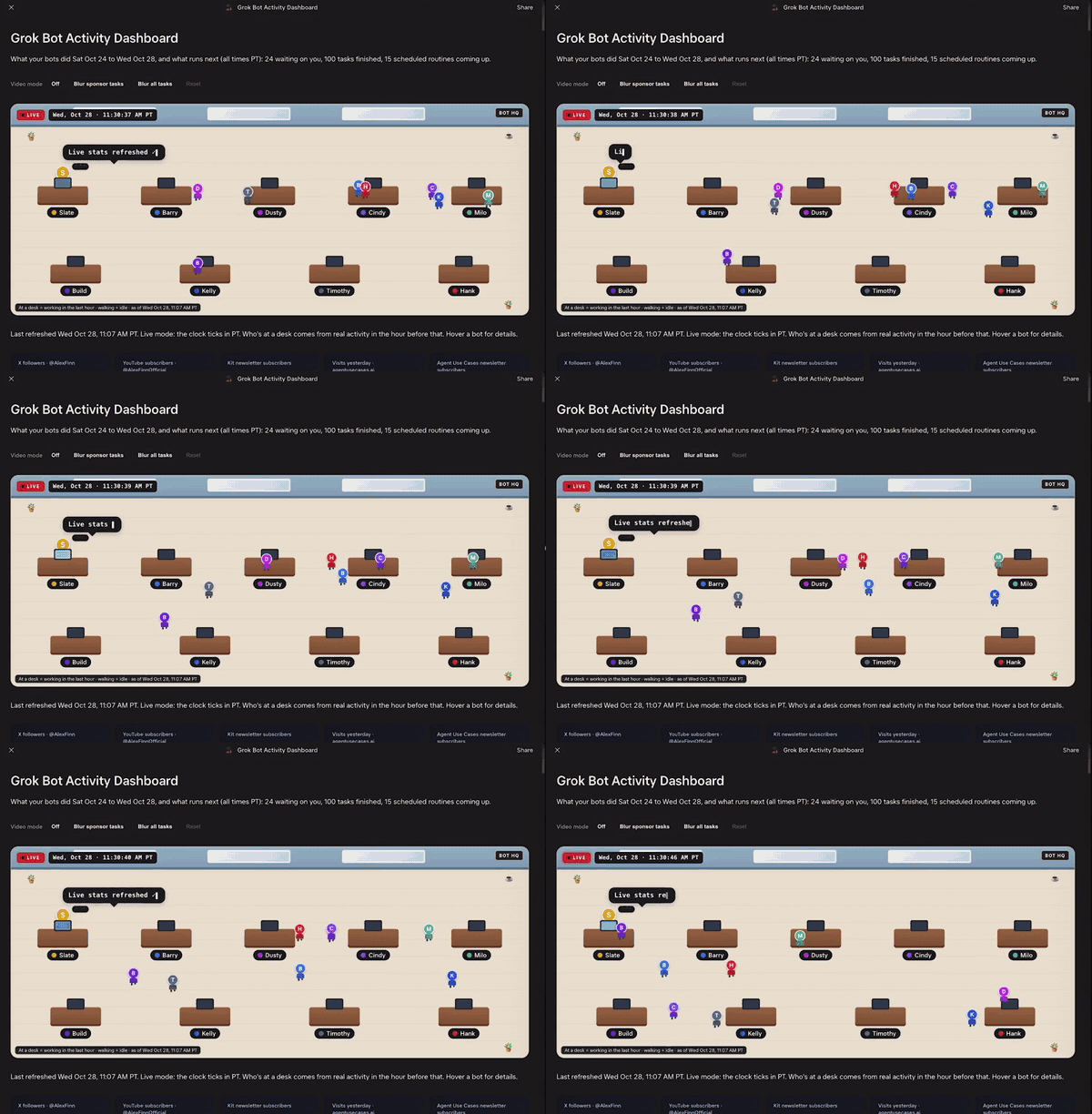
What they did
- One page, refreshed hourly on weekdays: "Waiting on me", an activity timeline and upcoming routines.
- On top, a 2D office: bots that worked in the last hour sit at desks, idle ones wander.
- Stat cards pull real numbers from his accounts, with blur buttons for recording.
⚠
A creator's promo video of his own setup. Yours will show only your bots and accounts.
Get their template
Made and published by Alex Finn. Start here; it is their original, not ours.
Their prompt
From Alex Finn (@AlexFinn) Their exact wording: his reply under the video, quoted in full. Source ↗
Build me a dashboard Page called "Mission Control" that shows what all my bots are doing. Refresh it every hour on weekdays with a routine.
Layout:
1. Top bar: a live clock and 3–5 stat cards for numbers I care about (ask me which ones, then pull them from my connected accounts).
2. Left column, "Waiting on me": every open question or approval my bots are waiting on me for, newest first. Each item gets an Open button that jumps straight to that bot's chat, and an eye button that blurs it so I can keep it private on camera.
3. Middle, "Activity timeline": tasks my bots finished, newest first, with each bot's picture and a one-line plain-English summary.
4. Right column, "Upcoming routines": my scheduled routines with their next run time and which bot owns each one.
5. Top of everything "The office": a fun 2D top-down office. Bots that are working sit at desks typing, with a little speech bubble saying what they're on. Idle bots wander around. Add a heatmap of activity by hour for the last 7 days.
Use only real data from my bots, routines and accounts. If something is missing, show it as empty instead of making it up. Make it dark and clean.
Set it up
- Paste his prompt into your main bot's chat.
- Pick the 3 to 5 stat cards it asks about.
- Check one card against the real account.
🛡 The page only reads and shows what your bots did. Approvals still happen in each bot's own chat, and the Open button just takes you there. Sending, buying, posting, and deleting always need a human.
Get the next recipe. Free.
New recipes every week, plus the top 10 agent setups pack.
Unsubscribe anytime. Privacy